

IP Phone Configuration in Dubai: A Simple Step-by-Step Guide
If you’ve ever looked at a brand-name desk phone and asked yourself why it isn’t working with anything, you are not the only one. IP phone configuration in Dubai is something that every company that is growing comes across at some point, and to be honest, it confuses people more than it needs to. The positive part is that once you learn the basics, it is less scary than it appears.
IP phones have become the option for companies that want dependable, easy-to-use communication without the hassle of old-style phone cables. They link to an IP PBX or VoIP system using your office network so workers can place and receive calls directly from their desk phones. No telephone line needed.
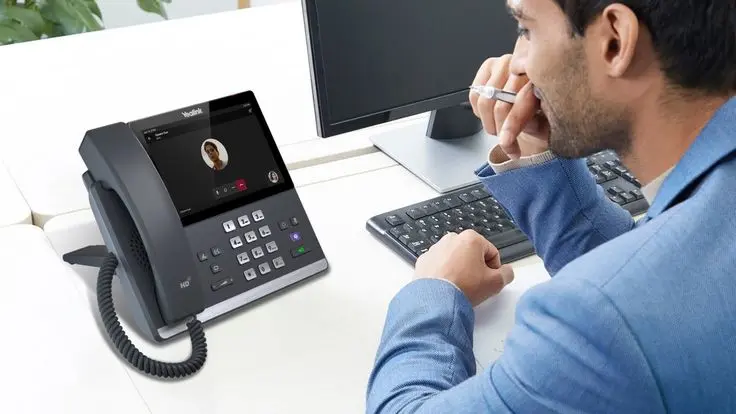
Still, setting one up for the first time can seem like a challenge, especially when you are dealing with extensions, network settings, and SIP information all at the same time. In this guide, we will show you how to do IP phone configuration in Dubai step by step using words so you know exactly what to expect before you begin.
Still, setting one up for the first time can seem like a challenge, especially when you are dealing with extensions, network settings, and SIP information all at the same time. In this guide, we will show you how to do IP phone configuration in Dubai step by step using words so you know exactly what to expect before you begin.
What Is an IP Phone, Anyway?
An IP phone is basically a telephone that makes and receives calls over your internet or business network instead of a traditional phone line. Instead of relying on copper wiring, it talks to the rest of the world using Internet Protocol (IP), the same tech your computer uses to browse the web.
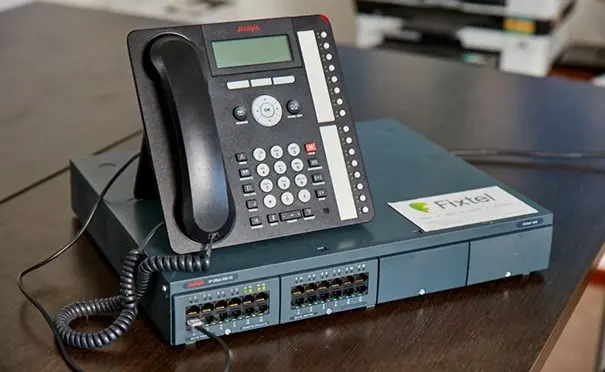
Most IP phones connect to an IP PBX system, which is the brain behind the operation. It manages extensions, routes incoming and outgoing calls, handles transfers, stores voicemail, and generally keeps your office communication running smoothly.
If you’re weighing up hardware options for the first time, it’s worth getting familiar with what’s available locally before you commit to anything. Reliable IP Phone Services & support in Dubai can make the difference between a smooth rollout and weeks of back-and-forth troubleshooting.
What You’ll Need Before You Start
Before diving into the actual IP phone configuration in Dubai process, it helps to have everything ready. Here’s a quick checklist:
- An IP phone
- A working network connection
- An Ethernet cable
- An IP PBX or VoIP server
- An extension number
- A SIP username and password
- The SIP server or IP PBX address
- Any relevant network details (VLAN, DNS, etc.)
- An internet connection, if you’ll be making external calls
Keep in mind the exact settings can shift a bit depending on the phone brand and the IP PBX system you’re using; a Cisco phone and an Avaya phone won’t have identical menus, for instance.
Step-by-Step: How to Configure an IP Phone
Step 1: Connect the IP Phone to Your Network
Start simple: plug the IP phone into your business network using an Ethernet cable. Most models have a dedicated LAN port for this.
Some phones also include a PC port, letting a computer share that same network connection through the phone, depending on the model and how your network is set up. If your office network wasn’t really designed with voice traffic in mind, this is usually the stage where cracks start to show, which is why a lot of businesses lean on proper networking solutions in Dubai before rolling out phones at scale.
Once it’s plugged in, power the phone on and give it a minute to boot up.
Step 2: Find the Phone’s IP Address
After it connects, the phone will usually grab an IP address automatically through DHCP. You can typically see this address right on the phone’s display or in its network settings menu.
It’ll look something like:
192.168.1.100
Your actual address will be different; it depends entirely on your business network. You’ll need this number to get into the phone’s configuration page in the next step.
Step 3: Open the Configuration Page
Open a web browser on a computer connected to the same network, and type the phone’s IP address into the address bar.
You’ll likely be prompted for an administrator username and password. Once you’re in, you’ll see the phone’s configuration dashboard, though the layout and menu labels vary from one manufacturer to the next.
Step 4: Set Up the SIP Account
This is where the real IP phone configuration in Dubai works. SIP is what lets your phone talk to the IP PBX system, so getting this right matters.
You’ll typically need to enter:
- SIP account or extension number
- Authentication ID
- SIP password
- SIP server address
- SIP port
- Display name
For example, if an employee is assigned extension 201, the phone gets configured with the SIP credentials tied to that specific extension. Double-check every field here, a wrong password or server address is one of the most common reasons phones fail to register. If you’re still shopping around for the PBX side of things, it’s worth comparing a few options, like this IP PBX system in Dubai, before locking in your SIP configuration.
Step 5: Configure the IP PBX Details
Next, the phone needs to know where to find the IP PBX on your network. This goes into the SIP server or registrar field.
For an in-office IP PBX, this is often a private network address. For a cloud-based or remote system, you might be entering a domain name or public server address instead. The right setup here really comes down to how your IP PBX configuration in Dubai is architected and how your network security is set up. Businesses that aren’t sure which architecture fits them best usually get more value out of talking to an established IP PBX supplier in Dubai than guessing their way through it.
Step 6: Review Network and VLAN Settings
Plenty of businesses separate voice and data traffic onto different network segments. If that’s the case for you, the phone will need the correct VLAN ID to talk to the IP PBX properly.
Settings to check include:
| Setting | What It Does |
| DHCP or Static IP | Determines how the phone gets its address |
| VLAN ID | Separates voice traffic from regular data traffic |
| DNS Server | Helps the phone resolve server names |
| Gateway | Routes traffic outside the local network |
| Subnet Mask | Defines the local network range |
Get these wrong, and the phone simply won’t be able to reach the IP PBX, even if everything else looks correct.
Step 7: Save and Restart
Once everything’s entered, save or apply the settings. The phone will probably restart on its own. When it comes back online, check the display for its registration status. A successful registration is a good sign the setup worked.
Step 8: Test Everything
Don’t skip this part. Testing is honestly one of the most important pieces of IP phone setup in Dubai. Place a test call to another extension and check that:
- The call connects properly
- Both sides can hear each other clearly
- The microphone works
- The speaker works
- Call transfer functions correctly
- Incoming calls land on the right extension
If your business also makes external calls, test an outbound and inbound call too, just to be thorough.
Common Problems During IP Phone Configuration
Even a straightforward setup can hit a snag now and then. Here are the issues that come up most often:
The phone isn’t getting an IP address — Check the Ethernet cable, the switch port, your DHCP service, and VLAN settings.
Phone won’t register — If it has an IP address but still won’t register, recheck the SIP username, password, server address, and port.
No audio, or one-way audio — This often traces back to firewall rules, NAT configuration, or SIP/RTP settings.
Poor call quality — Look at bandwidth, latency, packet loss, and Quality of Service (QoS) settings on your network. Sometimes the hardware itself is part of the problem too older or budget handsets tend to struggle with noise cancellation, and upgrading through a trusted Cisco IP Phone supplier in Dubai can noticeably improve call clarity on busy networks.
Phone keeps dropping connection — usually a sign of unstable connectivity, VLAN misconfiguration, DHCP hiccups, or even a power issue.
Why Professional Configuration Really Does Matter
Basic setup can often be handled by following the manufacturer’s instructions. But real business environments tend to be a lot messier than a single phone on a single desk; think multiple departments, dozens of extensions, an IP PBX, switches, firewalls, VLANs, remote staff, and sometimes several branch offices at once.
That’s where things get complicated fast. If you’re still running an older analogue or hybrid setup, it’s also worth checking in with experienced PABX system installers in Dubai before you commit to a full IP overhaul; sometimes a phased transition makes more sense than switching everything overnight, and they can tell you honestly whether your existing wiring is even worth keeping.
IP Phone Configuration for Growing Dubai Businesses
Dubai businesses often need communication systems that can keep pace with growing teams, departments, and more flexible ways of working. A configured IP phone system in Dubai makes it much easier to manage internal extensions, handle business calls, transfer between staff, and run everything through one centralised IP PBX.
If you plan a business IP phone setup, it is worth thinking through a few things upfront: how many users you must support, what your existing network infrastructure looks like, your IP PBX requirements, security concerns, room for future growth and what kind of ongoing technical support you will have access to.
Depending on your existing infrastructure, some businesses find that an Avaya IP PBX installation in Dubai fits their needs better than a Cisco-based setup, so it’s worth comparing a couple of vendors before deciding.
For readers who want to understand the technology behind all of this, the Session Initiation Protocol (SIP) standard, published by the IETF, is the actual technical foundation that most IP phone systems rely on for call setup and signalling.
Final Thoughts
At its core, IP phone configuration in Dubai involves a handful of manageable steps: connecting the phone to your network, setting up the SIP account, configuring the IP PBX details, and testing everything before you call it done. For a small office or a single phone, these steps alone can get you most of the way there.
But once you’re dealing with larger networks, multiple extensions, VLANs, firewalls, and security considerations, things get more involved fast. If you’re planning IP phone installation in Dubai for your business, working with an experienced provider can save you a lot of trial and error and get your team talking sooner rather than later.
FAQ
It’s the process of setting up an IP phone to connect with your network and IP PBX system, including entering SIP details, extension numbers, and network settings so the phone can make and receive calls.
Not really in terms of the technical steps,SIP and IP PBX setup work the same way everywhere. The difference usually comes down to local network infrastructure, internet providers, and the vendors available for support.
The basic setup for a single phone is manageable for most people following the manufacturer’s guide. But business-wide IP phone system in Dubai deployments with multiple extensions and VLANs usually benefit from professional help.
A single phone can often be configured in under 30 minutes. Larger office rollouts with dozens of phones, extensions, and network configurations can take a few days depending on complexity.
SIP (Session Initiation Protocol) is the technology that lets your IP phone communicate with the IP PBX to set up, manage, and end calls. Without correct SIP settings, the phone simply can’t register.
This is almost always an SIP issue — double-check your username, password, server address, and port. A single typo in any of these fields will stop registration.
Not always. Compatibility depends on the brand and firmware. It’s best to confirm compatibility with your IP PBX configuration in Dubai provider before purchasing hardware.
Usually it’s network-related — bandwidth limitations, latency, packet loss, or missing QoS configuration. Voice traffic needs priority over other network activity to sound clear.
It’s not mandatory, but many businesses use a voice VLAN to separate call traffic from regular data traffic, which usually improves reliability and call quality.
Working with an established IP PBX supplier or IT service provider is usually the safest route, especially for offices with multiple departments, extensions, or branch locations.